Simple
user login process:
With speedy configuration
for web cam and audio upload setup.
meeting
Participation All users immediately
enter a meeting with visibility to all other attendee
avatars.
Flexible resolution controls for users
User settings control the resolution of video broadcasts: HD video
quality to 160x120 for low bandwidth users.
All users (attendees) appear as live video
avatars.
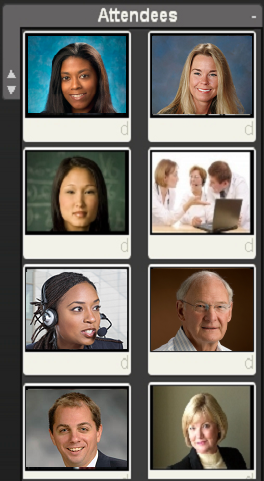
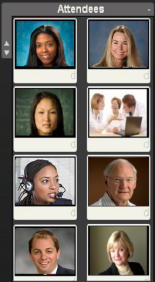
After logging into the system, meeting
participants are presented in the Attendee Zone as intermittent
video avatars. When the host drags participants into a live drop
zone, avatars become continuous video feeds for interactive
discussions. Whatever the host determines to drop into play
zones is propagated to all attendees. Therefore users simply
attend meetings and participate with video and audio and file
sharing tools. VS is designed as a simple-to-use intuitive tool
for attendees while the host decides meeting content and
activity.
System
Managed Connectivity
The audio-video servers
maintain user connection during bandwidth fluctuations
through bandwidth and quality algorithms.
|
Drag and Drop for Controlling Meeting Content
Drag and drop functionality
allows the host to drag participant videos or assets into live
presentation drop zones. Whiteboards and screen sharing can be
interchanged in the enlarged drop zone so users can enjoy detail
views of ideas and presentations.
Flexible resolution controls for users
User settings control the resolution of video broadcasts: HD video
quality to 160x120 for low bandwidth users.

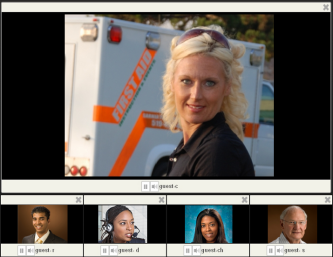
Attendee
video avatars refresh sequentially
The Host simply drags avatars to
video/audio drop zones for continuous live feed as shown
above.
Audio-only
Drop Zone & Studio Effects
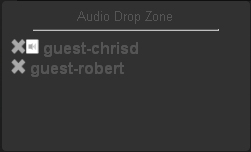
To provide additional flexibility for large
meetings, the host can drag participants into the audio-only
zone to control bandwidth strain and maintain audio
participation for all attendees.
This way everyone can be included in a meeting
as video or audio-only attendees. This Studio Effect
essentially allows the host to spotlight a panel in live video
while others contribute through audio.
Multiple Simultaneous Meetings
The Pentagon and the Globe solution can be used
for simultaneous multiple independent meetings. For example, a
company or school can run up to 20 or 30 meetings with large
groups, simultaneously.
The Break Out Session
Meeting participants can break out into
separate & private sub-meetings. The meeting host may create
unlimited sub meetings.
|
Technology
VS brings together one-to-one, or many-to-many,
in meetings of all types such as large format conventions,
corporate meetings, lectures and classrooms. State of the art
video streaming techniques with bandwidth and quality control
algorithms ensure reliable, and realistic, media events.
The Pentagon Configuration
For rapid-speed LAN networks and extreme
Internet connections, The Pentagon can be used as a high
fidelity video meeting technology with HD quality. Boardroom
style monitors can be used for group meetings for example.
Similarly, remote Internet users can connect to the Pentagon
with variable-bandwidth managed access. All this is achievable
using conventional web browsers.
The Globe Configuration
Data center streaming servers deliver extremely
fast connectivity for hosts and web users. Each web user can run
medium resolution web cams for meeting participation. If a user
has very high speed broadband they can switch to HD broadcast as
in the Pentagon.
The
Pentagon
For internal High Definition Video Conferencing
or extreme Internet bandwidth connectivity.
The
Globe Configuration
Emphasis on resolutions suitable for Internet
users
while capable of HD over extreme Internet connections.
|