| Products : |
Core Systems
Hosted Online Solutions
|
|
 PatternScape: 
Pattern profiling search, cluster views and visualization
PS is a pattern profiling search technology in which information landscapes are mapped and clustered according to patterns, traits, markers and features. Search results are formed into clusters that are easy to navigate, and comprehend, regardless of the complexity of the information being mapped. The system employs a high speed, inverted index, search framework. This framework renders high-speed alphanumeric results to the PS clustering engine, which determines visualization and inter-relating results.
PatternScape is useful for search and analysis of inter-related
information. It employs a mathematical model the result of which
is a visually comprehensive presentation of clustered search results.
This intrinsic capability to cluster information is what
makes possible the notion of distinction and user-determined-choice during
search. Complicated though it might be under the hood, PS is a simple to use system for information visualization,
occurrence, frequency and
co-existence clustering.
The system can be used in a variety of ways, a few examples are:
- General documentation search (information repository)
- Proprietary information search (knowledge repository)
- Specific analytic search (intelligence repository)
- ATM/ABM debit card fraud tracking by mapping card use with co-existing
previous event analysis. see brochures.
- Insurance underwriting mapping and analysis for determining
insurability based on historical records search and analysis.
- Mortgage application mapping and analysis with previous event to
uncover fraud or viability of application
- Mapping information landscape
- Market opportunity analysis and macro-micro assessment
- Investment portfolio and corporate business development analysis
- Criminal profiling, crime scene evidence co-relation, and trait mapping
- Prospecting opportunity analysis, assay evaluations, and cross-comparisons
- Medical symptom clustering and disease analysis
- DNA base pair sequence, co-existence, and clustering analysis
- Marketing analysis for product differentiation and comparison to competitor voids
- Sale prospect analysis, competition analysis, as well as client needs profiling
- Engineering design analysis and project information archiving, and analysis
- Resume and job type mapping
Though the system can be used as a search and find tool for
information, documents, or data research, its ultimate performance can be found
where variants, information distinction and specific choice is needed by the professional
user.
Most importantly, the system is a simple to use visual tool even though based on complex hidden processes.
The table shown describes configurations and options of
each main feature in the framework such as DocMap, Co-x, 2x2
search pad, weights and synonym variants. Screenshots are
provided for review.
| PatternScape |
2x2 |
3x3 |
4x4 |
5x5 |
Cluster
View |
Link
View |
Vectors
Weights |
Synonyms |
User
Mgmt |
Book-
marks |
Doc-
Map |
Co-X |
Multi-
Target
Index |
Multi-
Source
Index |
| PS-1 |
x |
|
|
|
x |
x |
|
|
|
|
|
|
|
|
| PS-2 |
x |
|
|
|
x |
x |
|
|
x |
x |
|
|
|
|
| PS-3 |
x |
|
|
|
x |
x |
|
x |
x |
x |
|
|
|
x |
| PS-4 |
x |
|
|
|
x |
x |
|
x |
x |
x |
x |
|
|
x |
| PS-Enterprise |
x |
x |
|
|
x |
x |
x |
x |
x |
x |
x |
x |
|
x |
| PS-Extreme |
x |
x |
x |
x |
x |
x |
x |
x |
x |
x |
x |
x |
x |
x |
Features:
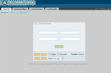
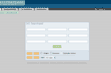
2x2 matrix search pad
The search pad is used to enter different words and phrases from which a ClusterView
tree appears. This tree and branch system shows variants for all
four terms (phrase) entered into the entry pad. Technically
speaking this is a four-root variant map from which the user may navigate to
results (LinkView). LinkView contains the documents that are
comprised of the 2x2 terms-all this in a cluster distribution for
pertinent results
analysis. The system provides
result variants based on the users search needs. These
variants render observations of the information landscape
contained in vast quantities of documents and data. These vast
quantities of search results are reduced to observable
clusters with analytic distinction.
3x3, 4x4, 5x5 matrix enhancements
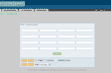
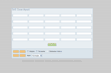
Enhanced search-pads provide significant increases in clustering granularity
during search. Document Map and Co-existence fidelity (DocMap
and Co-x) impacts search with this increased cluster
granularity. Cluster granularity refines variants, during
search, which leads to user controlled information mining and
distinction.
Weights within 2x2
The weights option is a facility for users to ascribe
different impact values to each entry in the search pad. For
example, the researcher might over-weigh "gold inclusion"
as 100%. This will ensure
that results of "gold inclusion" will
be biased in finding results. You can also imagine how weights
can help an officer render order-importance in criminal
records. PS puts the order of importance of results in the
users hands with features like weights and ClusterView.
Vectors and Matrices further intensify this notion, as discussed
later in the page.
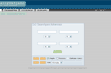
Example of weights as an important distinguishing tool
Weights are used for applying importance or power values to the individual elements of the search pad matrix. For example, suppose you where analyzing eight and twelve-cylinder engines where torque was more important than power in your search. The user may increase the weight of the torque element-the effect of which is cluster distribution vectors that place torque-containing documents with a distinguishing position in the results. Boost is applied to vector distribution across the entire space. DNA cluster analysis might well be another example of its use for preponderance of pairs, markers of gene replications or mutations, for instance.
Co-existence mapping (Co-x)
Co-x usage determines the co-existing inter-relationship of alphanumeric terms and
phrases, in cluster.
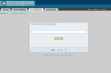
Example: “sore throat” will render a ClusterView of co-existing terms with all known combinations. The result is a complex inter-relating cluster map, which allows the user to select the ideal result that can be submitted to the 2x2 - 5x5 engine for document and data retrieval.
Co-x is ideal for helping the user ascertain co-existence and inter-relationship. It is curious to find that "sore throat" and "acute pharyngitis" co-exist in a highly predominant way throughout an index while "Vicodin Lortab" and "pain relief" also inter-relate, for example. Co-x operates across the entire target index space regardless of the complexity, or simplicity, of inter-relationships.
Document mapping (DocMap)
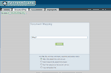
Contrasted with co-x, DocMap is similar operates across a single document only (or URL). For example, it can be used to map
ones resume, submit resulting skills-clusters to the employment index to find
combinations of matching job assignments. Matching results can also apply to a medical
assessment, a job specification, or a criminal record.
The 2x2 search pad is
auto-populated by the DocMap result. Click on resume cluster branches, for example, and
the 2x2 pad will auto-populate for pattern search against the entire
job index, thereby finding matching job assignments (similar
for mapping of diseases, criminals, investments, or DNA pairs). Regardless of the vastness of the document
repository, DocMap finds inter-related results with the input
document or URL.
Cluster views (ClusterView)
Cluster views, the variant maps created from the matrix search pad, contain valuable information about frequency, structure and occurrence in the data set and their vector
inter-relationships. Vectors map complex relationships of terms,
mathematically, with one another throughout the document space. The resulting tree structure of relationships helps users visualize and navigate to relevant information.
ClusterViews are at the core of PS intensified search.
Link views (LinkView)
Link views are the resulting documents relating to a ClusterView branch (they
are presented as classical web site search engine result pages).
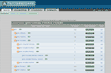
As a distinction from classical results, however, LinkView presents vector distribution and power values for document-to-document comparison.
The predominance of one term over another is illustrated with
vector distributions. These distribution vectors exhibit
predominance of traits, evidence, symptoms and markers across
the resulting group of documents. Thus PS empowers the user to
evaluate search results with visualization clusters and
not endless result lists.
Distribution Vectors (eVectors)
A distribution vector is used to evaluate the distribution of frequencies-of-occurrence of terms
in cluster. The vector is an extremely important metric, an example of
which is in mining: inter-relating
distribution of compounds in an ore sample, for example.
Distribution vectors "appear" useful for
only the most deliberate and professional user but user
friendliness provides insight for simple search matters such
as engine power and torque distribution, for example. Another simple example,
yet important to the traveler: seaside views versus
golf courses. Whatever your use of PS, distribution vectors
enhance information distinctiveness and visualization.
eValues
An eValue is a power value ascribed to the distribution vector and it illustrates cluster
size or simply stated the importance of a search query
compared with its co-relating neighbors.
The cluster size of one over another will often imply power of
one set of findings over another. The eValue and distribution
vector share a courtship of meaning to the individual needs of
the user. Together with weights they form a method for the
user to control analysis and visualize distinctiveness.
Document and hit frequencies
Hits are frequency-of-occurrence search terms across a cluster, an index (space). Hits are normally shown in search engines as the number of documents, which contain the search term. In PatternScape,
hits and document frequency are similar with the following distinction: cluster
phrase occurrence
impact, power and elemental distribution.
A-Matrix for advanced data set analysis
The PatternScape A-matrix follows subspace math principles for finding a spatial distribution
(characteristic) matrix:
Synonyms
PS handles synonyms in a variety of unusual ways: In SoftPaperScape and SpeakScape, synonyms are error detection and repair tools. In 2x2 matrix search synonyms are employed by the user for correct phrase and term choice. The system presents synonyms for the terms entered in the search pad, which can be used to refine search with synonym replacement. Synonyms can also be used for alphanumeric purposes like financial, engineering and microbiology, for instance. Thus user defined synonym lists are possible.
Multiple target indexes and x-Search sites
PS allows for selecting one of many different indexes in which to apply search. The user might well have a crime index and a
forensic science index configured in their system. Rather than apply search to
both indexes the user may choose to examine results only found in the crime index. It is easy to imagine a clinical scientist having many indexes on their system for various application and
analysis (multi-Genome). Comparatively, a journalist might have two different information resources to apply
search. It is a powerful tool for the specialist to be able to flip flop between
information assets (indexes). And CrawlScape provides the
automated framework for quickly creating and managing these
assets.
Multiple target indexes and xSearch sites
You might use your own index to find clusters but wish these be produced across a different target
database for actual document results. This is how one would use multiple targets: For example an FBI agent searches the criminal database and then applies resulting clusters to the Interpol international index for equivalent
comparison.
Bookmarks and Member Management
Bookmarks and member management allow for users to identify
themselves and save bookmarks of their various Search, DocMap
and Co-x pads. The option makes sure serious analytic search
projects are saved and retrievable.
Exporting LinkView Results, ClusterView Maps, and Bookmarks
PS allows for exporting valuable metrics (vectors, links, clusters, (f), and
power values) so users can evaluate in external information manipulation tools. |
|


